NetSuite EDI Integration: How It Works, With a Full Demo

NetSuite runs your business, but it does not do EDI. If you sell to large retailers, distributors, or marketplaces, those partners require you to exchange orders, ship notices, and invoices over EDI, and NetSuite has no built-in way to do it. It can import and export data and it has scripting, but it cannot translate, validate, and exchange EDI documents with your trading partners on its own. 

That leaves your team to bridge the gap by hand, re-keying purchase orders, building ship notices manually, and sending invoices that often come back with errors. It holds together at low volume and falls apart as soon as orders climb. A NetSuite EDI integration closes that gap by moving documents between your trading partners and NetSuite automatically, and the demo further down shows the full order-to-cash cycle running from the first purchase order to the final invoice. 

Why NetSuite Needs EDI Integration 

The gap exists because NetSuite and your trading partners speak different languages. NetSuite holds your items, customers, inventory, and financials in its own structure, while EDI is the standardized format your partners use to send and receive business documents. When a retailer sends a purchase order over EDI, NetSuite cannot read it directly, and when you ship that order, NetSuite cannot send a compliant advance ship notice back on its own. Something has to translate each document into and out of the format each partner requires, match it to the right NetSuite record, and deliver it on the partner’s timeline. 

When that translation happens by hand, every handoff becomes a place for something to go wrong, whether it is a mistyped quantity on an order, a ship notice that goes out late and triggers a chargeback, or an invoice that does not match what was shipped and holds up payment. The more partners you add and the more volume you take on, the more that manual work compounds and the more those errors cost. A proper integration removes the manual layer altogether, so documents move between your partners and NetSuite in the right formats, matched to the right records, without anyone re-keying anything.

See the NetSuite EDI Integration in Action 

The clearest way to understand the integration is to watch a full cycle run start to finish. The demo below follows an order from a retail trading partner, through fulfillment with a third-party warehouse, to the ship notice and invoice going back out, with every document posting through NetSuite along the way. Each step moves through the Alluvia portal so you can see exactly what happens at each stage, and in a live environment the whole cycle runs on its own while your team monitors rather than manages it.

How the Cycle Works

Everything begins when the retailer sends an EDI 850 Purchase Order, the document that specifies what they want, in what quantity, at what price, and where it ships. Rather than landing in an inbox to be typed out, it flows straight into the Alluvia portal and posts into NetSuite as a sales order, with the line items, pricing, and the partner’s PO reference carried across exactly as sent. In the portal the document moves from posting to success, so you can see at a glance that the order landed cleanly. 

From there fulfillment takes over. Because the goods ship from a third-party warehouse, the integration sends a warehouse shipping order out to the 3PL so they know what to pick and pack, which keeps your outside warehouse working from the same order data as NetSuite instead of a separate spreadsheet. Once the order is picked and shipped, NetSuite records the item fulfillment against the original sales order, and that fulfillment becomes the basis for the advance ship notice. The EDI 856 Advance Ship Notice then goes back to the retailer, telling them exactly what is arriving, how it is packed, and when to expect it. Getting that document right and on time is one of the biggest factors in avoiding chargebacks, and here it is built automatically from fulfillment that already happened. Most retailers also require a GS1-128 shipping label on every carton, encoding an SSCC that ties each box to what the advance ship notice says is inside it, and the integration generates those labels from the same order and fulfillment data so the label, the carton, and the ASN all match. 

The invoice closes the loop. NetSuite generates a customer invoice against the sales order, and because it draws on the same order and fulfillment records, it matches what the partner actually received. That invoice is translated into an EDI 810 Invoice and sent back in the partner’s required format, giving them a clean bill that lines up with their original purchase order and their shipment, which means faster payment and fewer disputes. Throughout the cycle every document stays visible in the portal, organized by trading partner, so at any moment you know the status of everything moving between NetSuite and the partners you sell to. 


How Alluvia Handles NetSuite EDI Integration

Alluvia connects NetSuite to your trading partners and manages that entire cycle end-to-end, so purchase orders arrive as sales orders, ship notices and invoices go back out on time and in the right format, your 3PL stays in sync, and every document is validated and visible before it can become a problem. The payoff is fewer chargebacks, faster fulfillment, and a channel that grows without adding people to re-key documents. 

Because it runs on one platform, Alluvia connects NetSuite to more than EDI retailers. The same system brings in your Shopify store and other eCommerce channels, your marketplaces, and your 3PLs, so every order flowing into NetSuite runs through a single integration layer rather than a separate tool for each channel. With pre-built templates for thousands of trading partners, onboarding a new one is a matter of configuration rather than a custom development project. 

If you are running NetSuite and tired of managing EDI by hand, we would love to show you how Alluvia works. 

Book a Demo Today and see how we can simplify your NetSuite EDI Integration

question zone

Frequently Asked Questions

/ 01
Does NetSuite have built-in EDI?

No. NetSuite does not include native EDI automation. It has import, export, and scripting capabilities, but it cannot translate, validate, and exchange EDI documents with your trading partners in real time on its own. To do that, NetSuite needs an EDI integration like Alluvia between it and the partners you trade with. 

/ 02
What EDI documents does a NetSuite integration handle?

The core documents are the 850 Purchase Order that comes in from your trading partner, the 856 Advance Ship Notice and 810 Invoice that go back out, and the warehouse documents that coordinate fulfillment with a 3PL. Alluvia translates each one into and out of the format your specific trading partner requires. 

/ 03
Does the integration handle GS1-128 shipping labels?

Yes. Most retailers require a GS1-128 label on every carton, carrying an SSCC that links the box to the advance ship notice. Alluvia generates these labels from the same NetSuite order and fulfillment data that drives the ASN, so the label and the shipment document always match, which is one of the most common sources of retailer chargebacks when it is handled manually. 

/ 04
How do EDI orders get into NetSuite?

When a trading partner sends an 850 Purchase Order over EDI, it flows through the Alluvia portal and posts into NetSuite automatically as a sales order, with the line items, quantities, pricing, and the partner’s PO reference carried over. There is no manual re-keying, and you can watch the document move from posting to success in the portal. 

/ 05
Can a NetSuite EDI integration work with a 3PL?

Yes. If fulfillment is handled by a third-party warehouse, the integration sends a warehouse shipping order out to the 3PL and brings the shipment confirmation back, so your outside warehouse works from the same order data as NetSuite and the advance ship notice going back to your trading partner is built from that fulfillment automatically. 

/ 06
How does EDI integration help reduce chargebacks?

Most retailer chargebacks come from late or incorrect documents and labels, especially advance ship notices, invoices, and GS1-128 labels. Because Alluvia generates all of these directly from your NetSuite fulfillment and billing data and validates them against each partner’s requirements before sending, they go out on time and in the correct format. 

/ 07
How long does it take to onboard a new trading partner?

Yes. The same platform connects NetSuite to your Shopify store and other eCommerce channels, your marketplaces, and your 3PLs, so every order flowing into NetSuite runs through one integration layer instead of a separate tool for each channel. 

/ 08
Can Alluvia connect NetSuite to more than EDI trading partners?

Yes. The same platform connects NetSuite to your Shopify store and other eCommerce channels, your marketplaces, and your 3PLs, so every order flowing into NetSuite runs through one integration layer instead of a separate tool for each channel. 

/ 09
What happens if an EDI document fails to post?

Every document is visible in the Alluvia portal as it moves between your trading partners and NetSuite, with a clear status showing whether it posted successfully. If something needs attention, you see it in the portal and can resolve it before it reaches your trading partner or affects the order, rather than finding out later when a partner flags a missing document or issues a chargeback.

image alt
Get Started

Stop losing money to errors and chargebacks.

Free your ERP team from data entry and start scaling smarter. Automate your EDI workflows, cut errors, and boost efficiency.

Stop Treating Your ERP Team Like Data Entry Bots: The True Cost of the Manual Effort Tax

Stressed sap b1 team

The Manual Effort Tax 

You invested in an ERP system to streamline operations, improve accuracy and give your team better visibility across the business.

But when EDI is still handled manually, the people who know your ERP best end up spending their days retyping information instead of doing meaningful work. The Manual Effort Tax shows up as lost productivity, higher chargebacks and teams who are overwhelmed by repetitive tasks. Every time someone re-enters an 850 Purchase Order or tries to rebuild an ASN by hand, they are pulled away from analysis, forecasting and the work that actually drives your business forward.

EDI integration is not only about compliance. It gives your ERP team the time and freedom to use the system for what it was built for smarter decisions and faster growth.

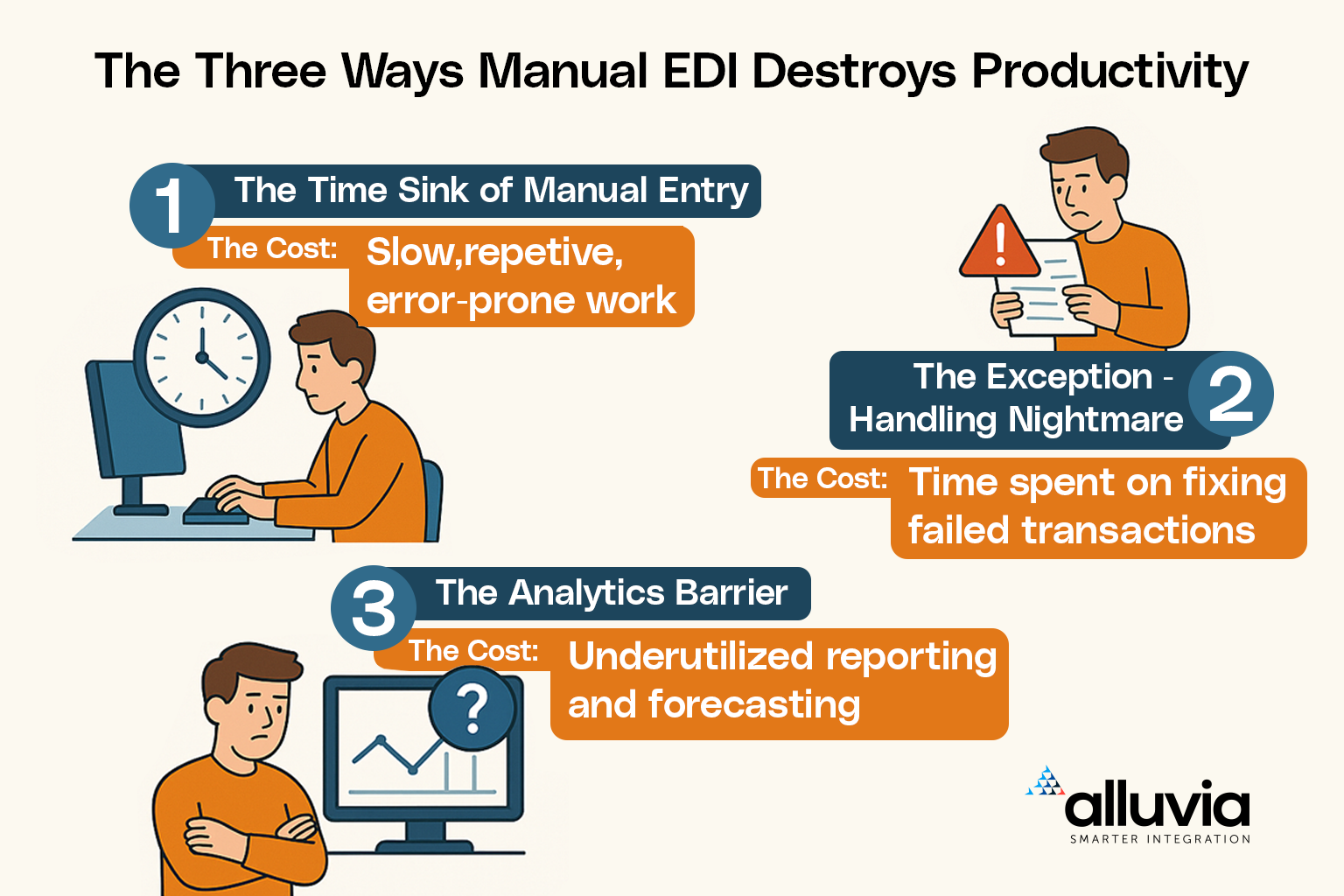
The Three Ways Manual EDI Destroys ERP Productivity 

Manual EDI slows down any ERP system

1. The Time Sink of Manual Entry

Manual EDI turns every document into repeat work.

  • Every 850 Purchase Order requires someone to key in every line.
  • Every 856 Advance Ship Notice requires typing tracking information, carton details and item quantities.
  • Every 810 invoice requires manual matching across several screens.

The Cost: Manual entry is slow and error prone. A single incorrect digit in a UPC, quantity or carton ID can trigger retailer chargebacks from companies like Walmart, Target , Home Depot, Staples, Wakefern, Macy’s or Amazon. Your team loses the time that could be used for planning, analysis or solving real problems rather than typing.

2. The Exception Handling Nightmare 

When manual EDI breaks, and it eventually will, your team becomes responsible for finding the issue. They move between ERP screens, spreadsheets and retailer portals to find inconsistencies.

The Cost: Your most knowledgeable employees, who understand your operations inside and out, end up spending hours chasing errors and reconciling data. They become gatekeepers of broken processes instead of optimizing inventory, improving vendor relationships, or analyzing performance trends across your business.

3. The Analytics Barrier 

Your ERP system is designed to give you powerful insights into performance, trends and forecasting. When EDI is manual, your team never has the time to use these tools the way they were intended.

The Cost: Your reports are incomplete, forecasting becomes less accurate and your data relies on manual typing instead of real automation. You end up with a modern ERP and outdated processes. The benefit of having a unified platform is lost when key operational data is still handled manually.

Automating your ERP + EDI With Alluvia Changes Everything 

When your ERP system and EDI are connected through Alluvia’s purpose-built integration platform, your team finally shifts from manual data work to strategic operations.


Feature  If EDI Is Manual  If EDI Is Automated with Alluvia 
Team Role  Data Entry, Corrections, Firefighting  Oversight, Strategy, Optimization 
Time Use  90% manual tasks,10% analysis  5% monitoring, 95% value-driven work
Data Flow  Slow, inconsistent, human-dependent  Real-time, validated, fully automated
Outcome  High chargebacks, frustrated team  Lower chargebacks, scalable operations 


Alluvia automatically pulls the right data from your ERP, maps it to compliant EDI documents, validates it against retailer requirements, and sends it without manual touch. Your team only gets involved when something truly needs their expertise. 

The Profit-Protection Power of Alluvia’s EDI Solution 

Alluvia is not a generic integration platform.
It is built specifically for ERP and EDI workflows.

Here’s how Alluvia eliminates manual EDI:

1. Zero-Touch ASN Generation (EDI 856) 

Alluvia monitors your ERP’s shipment documents in real time. As soon as an order is fulfilled and shipped, Alluvia automatically performs all the necessary steps: 

  • Pulls tracking numbers and shipment details. 
  • Reads carton IDs and validates quantities. 
  • Builds the ASN (Advance Shipping Notice) instantly. 
  • Sends the ASN to your retailer. 

This eliminates manual typing, portal logins, and the errors that lead to high-cost penalties. 

2. Built-In Retailer Compliance Rules

Every retailer imposes strict, non-negotiable requirements for 850s, 855s, 856s, and 810s. Alluvia includes out-of-the-box templates and validation rules for major partners like: Walmart, Target , Amazon, Whole Foods,  Home Depot, Staples, Wakefern, Macy’s, and thousands of tradings partners across retail, grocery, logistics, automotive and pharma.

Before any document is sent, Alluvia checks it against the retailer’s rules preventing chargebacks before they happen. 

3. Native Integration Across Your ERP Ecosystem 

Alluvia integrates with your ERP the way it is designed to operate: 

  • It supports key features like Item Masters, Warehouses, Batches, and UDFs in your ERP. 
  • It respects your specific pricing rules, taxes, and logistics workflows. 
  • The integration layer handles the complex EDI transmission, while your team continues working seamlessly within their familiar ERP environment. 

How Alluvia’s EDI Solution Works Across Different ERPs

Every ERP system structures data differently, which makes manual EDI increasingly difficult to manage as you grow. Alluvia is designed to work naturally with each system so your team keeps operating inside the ERP they already know while EDI runs automatically in the background.

SAP Business One (SQL and HANA): Alluvia integrates seamlessly with SAP Business One, leveraging UDFs (User Defined Fields) and supporting both DI-API and Service Layer for maximum flexibility. Whether you need custom field mapping or deep API connectivity, we ensure a smooth, native experience.

SAP S/4HANA: From IDocs to advanced S/4 HANA Rest APIs, Alluvia supports both integration methods across any logistics process. We adapt to your preferred approach while maintaining real-time, high-volume data flow for complex operations.

SAP Business ByDesign: Even as a legacy cloud ERP, Alluvia delivers full compatibility through the complete API and supports extension fields for custom workflows. We make ByDesign integrations effortless and future-ready.

SAP ECC: ECC’s rigid structure and IDoc-based logic can be challenging but not for Alluvia. We handle its legacy complexity with precision, ensuring clean integration without disrupting established processes.

Microsoft Dynamic BC : While BC’s native APIs lack robust custom field support, Alluvia bridges the gap with our own extended API framework, enabling full custom field integration. We go beyond limitations to deliver a truly flexible solution.

Oracle NetSuite:  NetSuite’s unique permission model and complex workflows require expertise and Alluvia has it. We work seamlessly within its architecture, respecting custom fields and saved searches without breaking your logic.

Acumatica: Acumatica’s flexible architecture supports both on-premise and cloud deployments. Alluvia integrates cleanly with its API framework, handling custom fields and workflows without disrupting your configurations.

Ready to Reclaim Your ERP Investment? 

Manual EDI is a hidden cost that grows with every new retailer, every order spike, and every exception. If you want your ERP team to be strategic not stuck doing data entry then your EDI workflows must be automated. 

With Alluvia’s EDI solutions, you can: 

  • Eliminate manual document creation 
  • Reduce chargebacks 
  • Improve compliance 
  • Speed up fulfillment 
  • Free your team for analysis and strategy 

All while using a tool built specifically for you. 

image alt
Get Started

Stop losing money to errors and chargebacks.

Free your ERP team from data entry and start scaling smarter. Automate your EDI workflows, cut errors, and boost efficiency.